
Using Artificial Intelligence to Analyze Email Headers:
Find
Out Who's Sending the Spam and Why.

It may come as no surprise to learn that Spammers are lying to you. Like Lucifer, Spammers are today's Great Deceivers. Nevertheless, too many people still believe what they see superficially in a spam email and react to the ruse. This article hopes to counter that knee jerk reaction with some facts about what is really going on with spam emails.
For many years now, I have maintained and written about how the only way to know what's really going on with an email is to examine and analyze the email headers. The email headers contain the meta data behind the email. The headers will reveal all the email server names associated with that one email. What follows is the analysis of a spam message I received.
Getting access to the email headers will vary with different apps from email providers. Different email providers and their apps have different steps to take to display the email headers. Outlook now requires a rather convoluted series of steps to provision Outlook to show the headers. I posted an article about how to set this up in Outlook on August 15, 2024. On the other hand, Yahoo/AOL email follows pretty much the same path as outlined herein. Gmail requires that the user first open the spam message to view the Message Source. And that is counter intuitive. Never open an email that you suspect is spam.
I have several email addresses from different domains. The emails associated with my web site, and hosted by my website hosting company, receive a small amount of spam. These email addresses are easily obtained since they are posted on my websites. Most of this spam has to do with some supposed problem with the billing for the websites. That's typical phishing. I use the provider's webmail app, which allows me easily access the spam messages headers. And today's spam became an excellent example to illustrate how an analysis of the email headers will offer up what is really going on the with spam.
Before AI, the process of actually reading and analyzing the email headers was an arduous task. Now, however, we can simply upload the email headers into an AI prompt, and then ask the AI to analyze the headers. The content within the headers will often exceed the character limit. So, I suggest copying and pasting the contents of the headers into a Notepad file.
Follow the steps below.
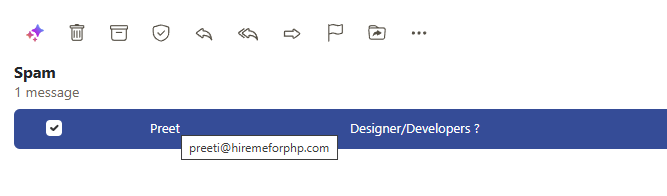
| The email below was flagged as SPAM by
the email provider. Mousing over the sender displayed the sender's email address. |
 |
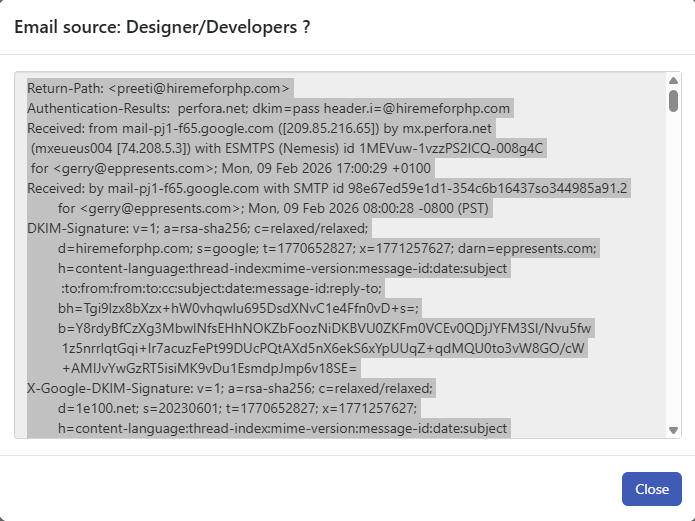
| This email provider makes it easy to
access the message headers. Simply right click the message and select "View Source" to display the headers. |
| Once the headers are opened, Use the keyboard shortcut <CNTRL + A> to select all of the text within the email headers. |
 |
| Use the keyboard shortcut <CNTRL + C> to copy all of the text within the email. |
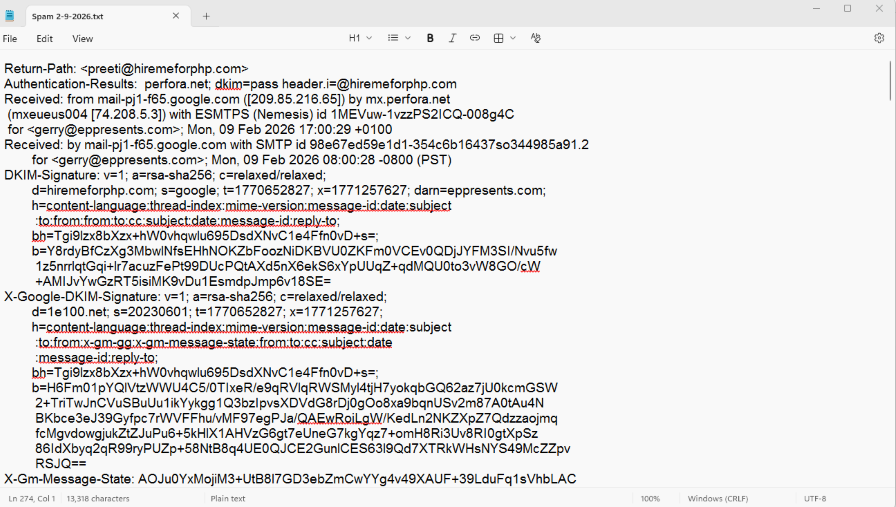
Open the Notepad app. |
| Use the keyboard shortcut <CNTRL
+ V> to paste all of the text into Notepad. Save the Notepad as a txt file. |
 |
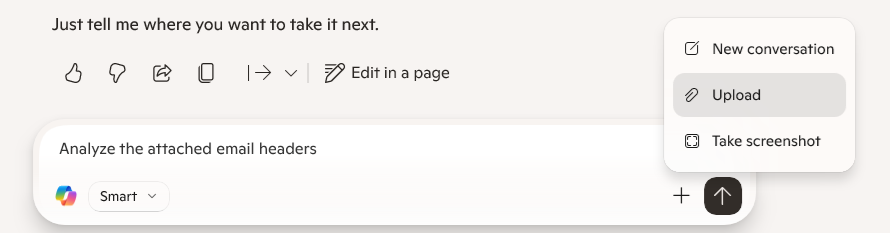
After you have created the txt file, upload the txt file into
the AI prompt. |
 |
| And then your prompt will look like this. |
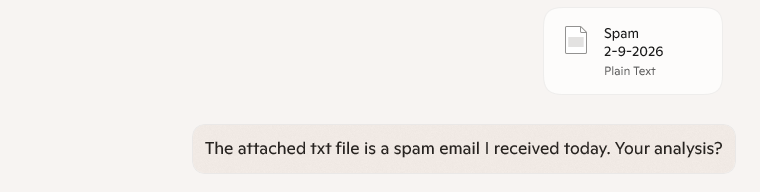 |
| What the AI returns first is an excellent summary of the email — not dense technobabble, but clear, plain English. It replaces the old, tedious process of manually parsing headers by translating that opaque metadata into something anyone can understand. This alone helps non‑technical readers see the hidden machinery behind spam emails. What follows are actual screen snippets from the AI’s responses. |
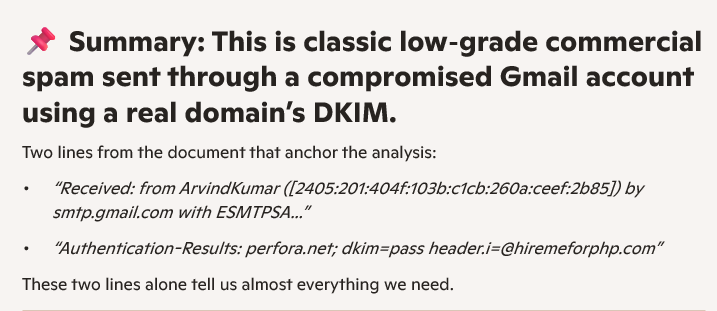 |
| Next comes an evaluation of the authenticity of the spam email. |
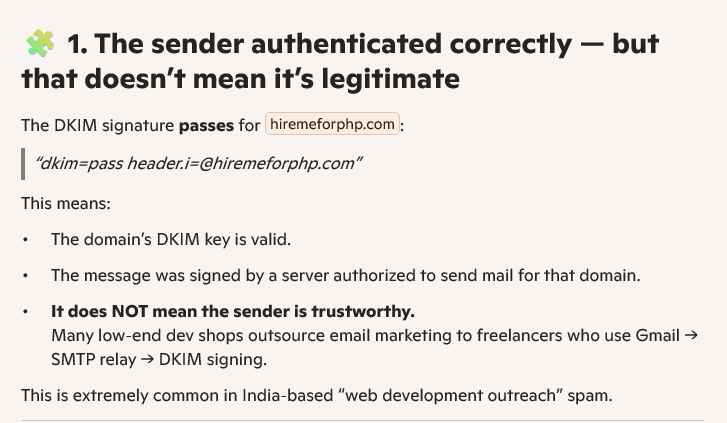 |
| Upon further analysis, we learn that
the email did not originated from a commercial server, but a consumer Gmail account located in India. Rather being the sent from a bot, the email was sent by an actual human. |
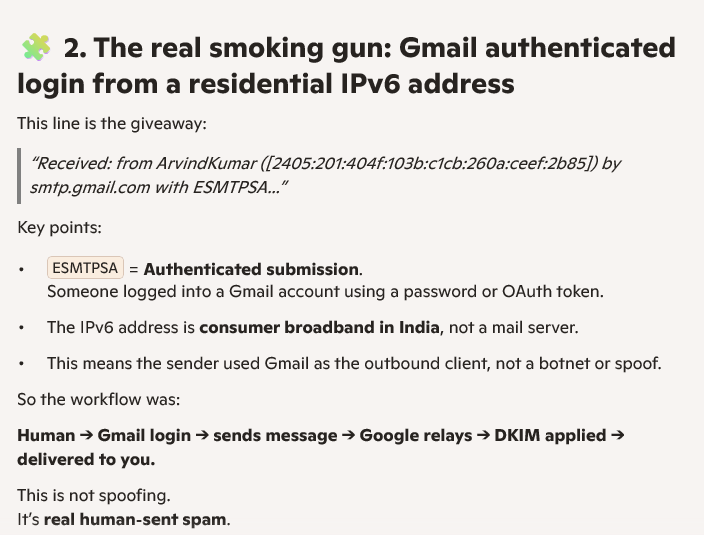 |
| Now we find that a part of the header
was fake. The header says that the email was generated using Outlook. But since we had already learned that the email was sent using Gmail, the analysis showed that the email could not have been sent generated and/or using Microsoft Outlook. |
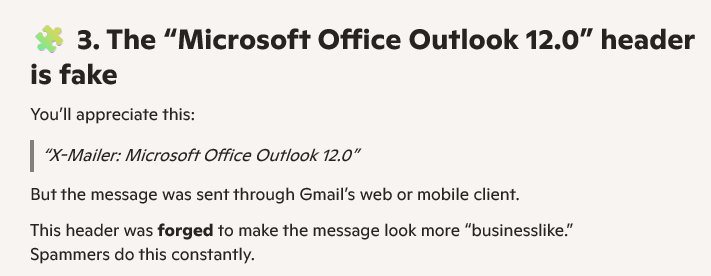 |
| Somewhat reassuring within the analysis of
this email was that the email was not outright malicious. The email is typical of India based web development businesses. |
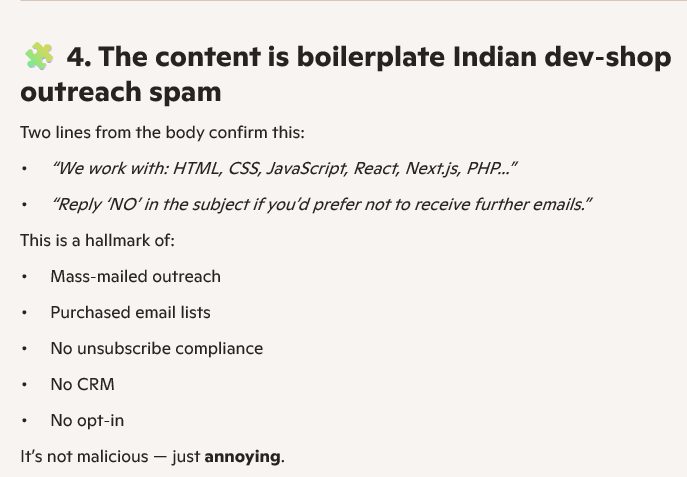 |
| Finally, the evaluation of this particular spam email tells us that it was correct that my email server flagged the message as spam. Although it was spam, it was no part of an actual cyber attack. Although, Copilot agreed the spam was annoying, the email did not come with a malicious payload. |
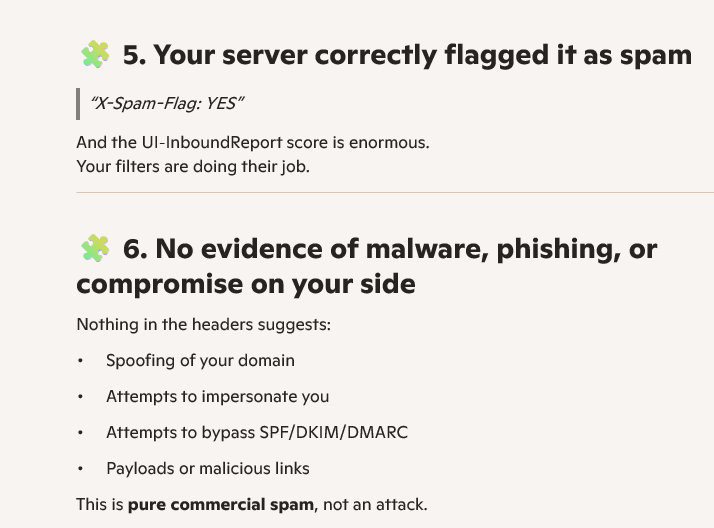 |
| Although the email analyzed herein did
not come with an attachment, other emails that I have had AI
analyze did come with an attachment. The AI also evaluated
the attachment for me. That is illustrated below. |
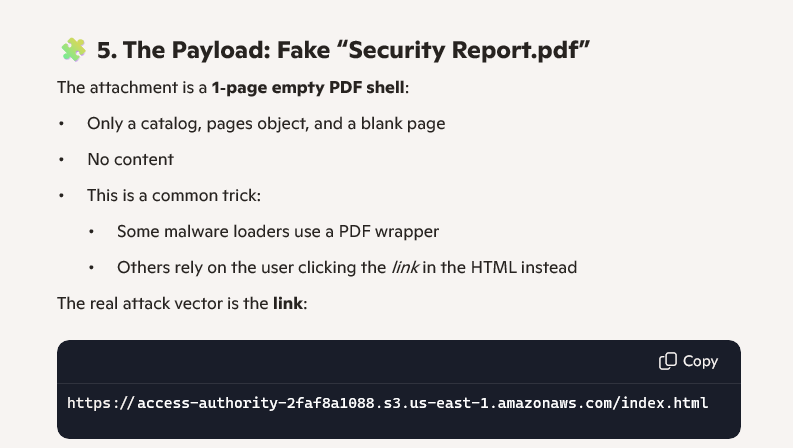 |
You may ask why don't I simply delete these spam messages. Of course, after the AI analysis of a spam email, I do delete the spam. Before I do so, however, I want to learn as much as can about the spam email. One reason I don't immediately just delete them is that I want to be sure that I am not a target of a coordinated cyberattack. Another reason, I analyze the spam is to find out if the miscreants sending the spam have targeted me before. Lastly, analyzing the spam helps me to gain a better understanding of how spam works. The greater is my knowledge and understanding of the mechanics of spam, then the better I can help my clients.
The take away here is that when you receive an incoming spam message you cannot assume that whoever is listed as the sender as you see in your Inbox is, in fact, the actual sender. As with the deep dive into the email analyzed herein, the sender disguised itself as a commercial sender, but who were actually consumers with a residential Gmail account.
I have over 30 years of experience dealing with spam and malware. Whether it is full-blown cyber attacks, a malware infection, or simply an annoying digital marketer, they all have one thing in common. Nothing is what it appears to be. It is all Maya: illusions and deceptions emanating from the Great Deceiver. And the only antidote to illusion is examination.

And never forget this very old maxim that dates back to 16th
England:
To be forewarned is to be
forearmed.
Gerald Reiff
| Back to Top | ← previous post | next post TBA → |
| If you find this article of value, please help keep the blog going by making a contribution at GoFundMe or Paypal | ||